How to upload emotes on Kick: size, format and animated GIFs step by step (2026)
Uploading emotes on Kick: 500×500 PNG/GIF under 1 MB, where the emote screen is in the Creator Dashboard, channel vs subscriber emotes, animated emotes and the most common mistakes.
To upload an emote on Kick, prepare a 500×500 PNG or GIF under 1 MB, open your channel's Emotes screen in the Creator Dashboard, pick the file, type the emote name and save. Animated emotes go through the same path as GIFs. The real work is not the upload — it is making the emote readable at 30 pixels in chat.
Kick emote specs (2026)
| Spec | Value |
|---|---|
| Size | 500×500 px (square) |
| Format | PNG (static), GIF (animated) |
| File size | Under 1 MB |
| Background | Transparent |
| Shown in chat at | ~28–32 px |
Kick updates its limits from time to time, so read the note on the upload screen before you upload. You don't need Twitch's 112/56/28 three-file system on Kick — one square file is enough. All platform sizes in one place: streamer image sizes 2026.
Step by step: uploading an emote to Kick
- Sign in at kick.com and open the Creator Dashboard from your profile icon.
- In the left menu, go to the Community / Emotes screen under Channel.
- Choose channel emote or subscriber emote. Subscriber emotes are a separate section only subs can use, opened on channels that can take subscriptions.
- Click Upload and pick the file. If a crop screen appears, make sure nothing touches the edges.
- Type the emote name. Viewers use the emote by typing this; a channel prefix (
yekta_gg) makes it clear whose emote it is. - Save and test in chat, in both dark and light themes.
Uploading animated emotes
- Loop: the first and last frames should land on the same pose, or the emote jumps every cycle.
- Length: 1–3 seconds is plenty. Longer means bigger files and more distraction.
- File size: over 1 MB? Cut frames (24 → 16), drop the palette to 128 colours, remove unnecessary sparkles.
- First frame: some places show the emote still, so the first frame should work on its own.
How animated emotes are made: animated emotes guide.
Four rules of an emote that reads in chat
- One emotion: laugh, cry, shock, GG. Don't squeeze two ideas in.
- Thick outline: an elegant thin line at 500 px disappears at 30 px.
- Minimal text: two or three letters like "GG", never a sentence.
- Same character, different faces: emotes designed as a set carry the channel's identity. In the Yektaunlu set the same face has 12 expressions, six of them animated.
Full design rules: emote design sizes and rules.
Example: 20 animated emotes, ready for Kick in one go
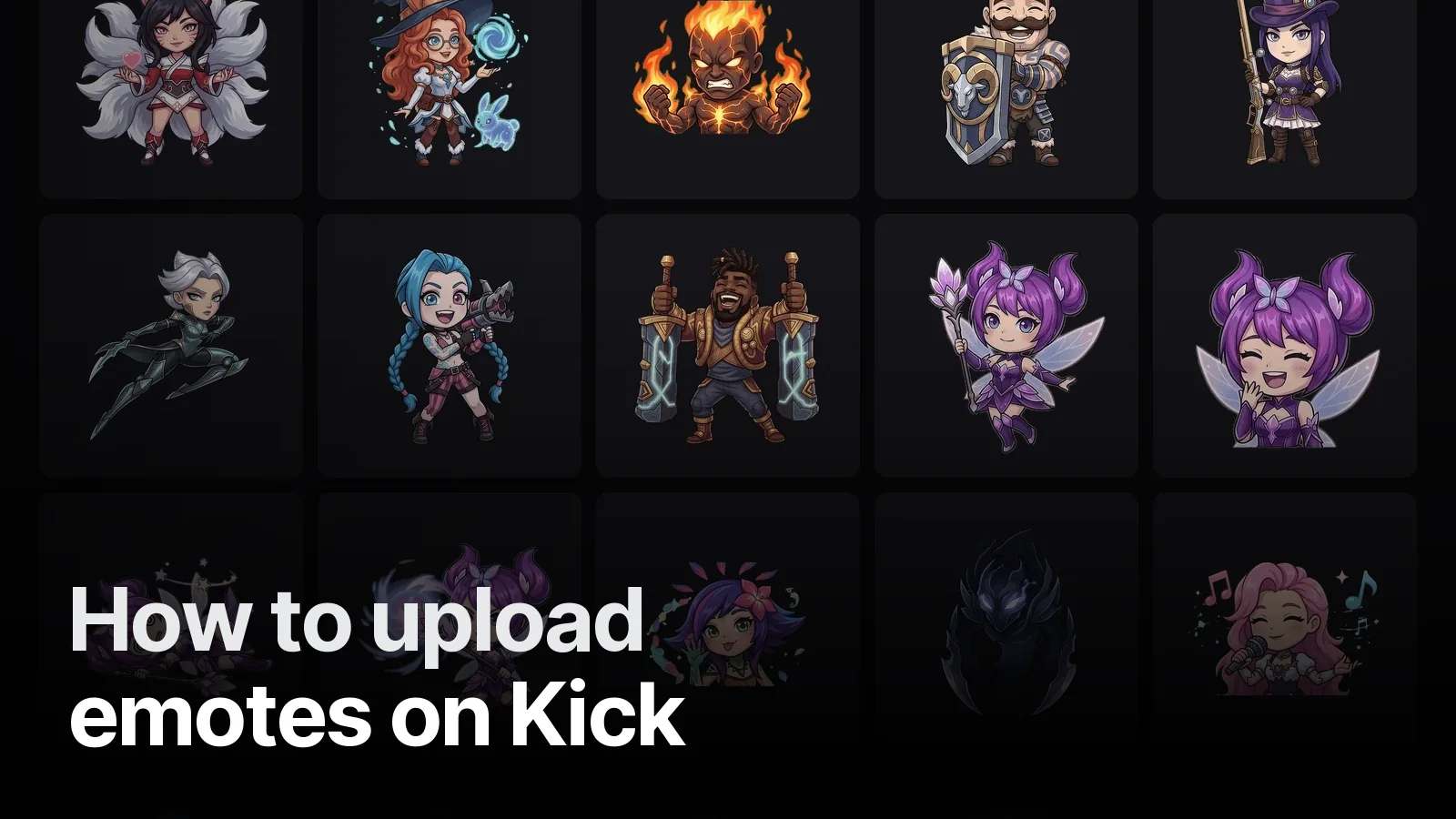
NewChampionX is a League of Legends streamer. We drew 20 champions in chibi proportions and gave each one its own move: Lux dances, Teemo winks, Thresh swings his lantern. The files are 500×500 GIFs with a 3-second loop, under Kick's limit; the streamer opened the folder and uploaded directly.
Common mistakes
- Saving with a white background (it sits in chat like a square box) → save PNG/GIF with transparency.
- Scaling the emote right to the edge → leave 20–30 px of padding so the crop doesn't cut it.
- Using someone else's logo, artwork or a real person's face without permission → against Kick's rules; use your own character.
For an emote set built for your channel (static or animated), see our streamer packages or tell us about your character on WhatsApp; we deliver at upload-ready sizes.
Frequently asked
1.What size should a Kick emote be?
Kick emotes are uploaded as squares; the common size is 500×500 pixels, PNG or GIF, under 1 MB per file. Kick scales the image down to chat size itself, so draw large and test how it reads small.
2.Can I upload animated (GIF) emotes on Kick?
Yes. Animated emotes are uploaded as GIFs with the same 1 MB limit. Keeping frame count and palette lean keeps the file small. The 20 emotes we made for NewChampionX are 500×500 GIFs with a 3-second loop, all under the limit.
3.Where do I upload emotes on Kick?
In the Creator Dashboard, under the Channel section's community/emotes screen. Channel emotes and subscriber emotes are separate sections; the subscriber section opens on channels that can take subscriptions. Menu names change with updates, so look for 'Emotes' in the dashboard.
4.Why does my emote look blurry in chat?
Usually thin lines, too much detail or text. In chat an emote shows at roughly 28–32 pixels; a thick outline, big expressions and a clean transparent background are essential. Shrink it to 32 pixels and look before uploading.